

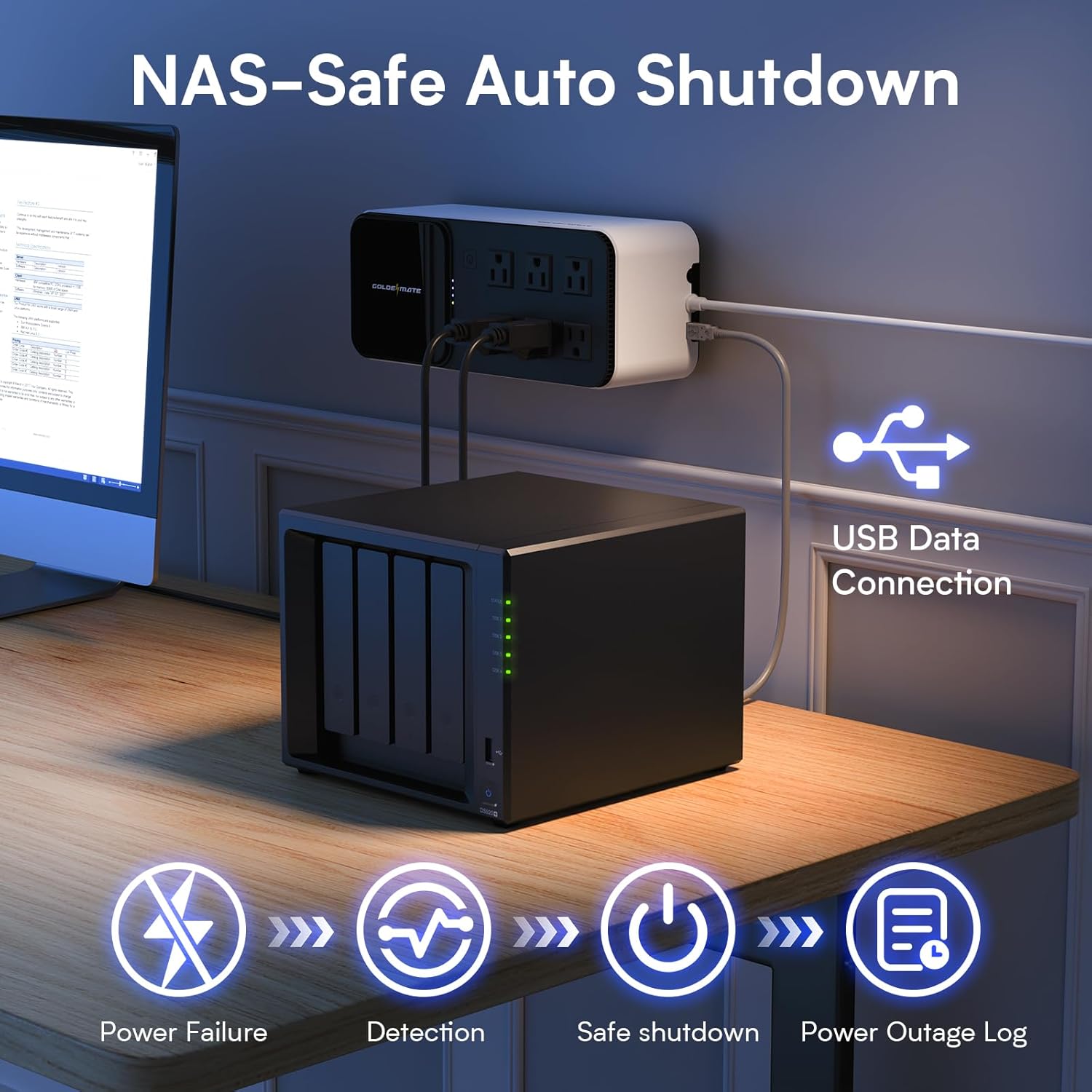
If you store important files on a Network Attached Storage (NAS) device, you've probably worried about power outages. A NAS system holds your photos, work documents, media libraries, and backups. Losing that data would be devastating. Many people wonder whether connecting a UPS to their NAS is safe or might cause more problems than it solves. We'll answer in this article.
Is It Safe to Use a UPS for NAS Systems?
The good news is that using a UPS with your NAS is not just safe; it's smart. A modern UPS system, like one from Goldenmate Energy, has multiple safety features that will protect sensitive electronics. For example, the advanced battery technology, surge protection, and intelligent monitoring systems work together to keep your data safe without putting your equipment at risk. But why does a NAS need protection?
Why Your NAS System Needs UPS Protection
Your NAS runs 24 hours a day, seven days a week. Unlike a laptop that you shut down at night, your NAS stays powered on constantly to provide access to your files whenever you need them. This continuous operation makes it especially vulnerable to power problems.
Power outages don't just turn off your NAS—they can corrupt your data. When power cuts out suddenly, your NAS doesn't have time to close files properly or finish writing data to the drives. This can damage the file system and make your data unreadable.
Also, voltage fluctuations are just as dangerous as complete outages. When your home's power supply is unstable, this can stress your NAS components and shorten their lifespan.
The financial cost of data loss is more than just hardware replacement. If you run a small business, losing customer data or financial records could be catastrophic. Even for home users, recovering data professionally can cost hundreds or thousands of dollars. Unfortunately, sometimes, recovery is just not possible.
A quality UPS provides clean, stable power that eliminates these risks. It is a buffer between your NAS and the power grid, so your system is powered.

Critical Safety Features That Protect Your NAS
Here are some UPS features that make your NAS safer when paired together:
Surge Protection Keeps Your Data Secure
Power surges happen more often than you might think. Lightning strikes are the dramatic example everyone knows about, but most surges come from everyday events. When your utility company switches power between different parts of the grid, it can create voltage spikes. Also, large motors in appliances like refrigerators and air conditioners cause small surges every time they cycle on and off.
A single large surge can destroy your NAS instantly. Smaller surges that happen repeatedly cause gradual damage that shortens your equipment's life.
A quality UPS system offers surge protection on all outlets, not just the ones with battery backup. So, you can safeguard your NAS, network switch, router, and external backup drives all at once. The surge protection works even when the battery isn't in use, giving you 24/7 defense against voltage spikes.
Smart Cooling Prevents Overheating Damage
Heat is the enemy of electronics and batteries. A UPS that runs too hot will fail sooner and can become dangerous.
The intelligent cooling fan solves this problem by monitoring the UPS's internal temperature and load. When the system detects that components are heating up, the fan activates automatically. This happens when you're drawing more power, when the battery is charging, or when the room temperature rises.
What makes this system smart is that the fan doesn't run constantly. It only works when needed, which means quieter operation in your home or office. You won't hear a constant hum from your UPS sitting under your desk or in your equipment closet.
Proper cooling extends your battery's life dramatically. LiFePO4 batteries can last 10 years, but only if they don't overheat regularly. In enclosed spaces like server racks or cabinets, cooling becomes even more critical.
Built-in Battery Management System Ensures Safe Operation
The Battery Management System is the brain that keeps your UPS battery healthy and safe. This electronic system constantly monitors every aspect of battery performance.
Cell balancing is one of the BMS's most important jobs. LiFePO4 batteries contain multiple individual cells connected together. These cells don't always charge and discharge at exactly the same rate. Over time, some cells would become overcharged while others remain undercharged. The BMS prevents this by actively balancing the charge across all cells, ensuring even performance and maximum lifespan.
The BMS also monitors voltage and current in real time. If it detects anything outside safe parameters, it takes immediate action to protect the battery and your equipment. This prevents overcharging, which can damage battery cells, and over-discharging, which can make the battery unable to recharge.
Temperature monitoring is another critical function. If the battery gets too hot, the BMS can reduce charging current or turn on the cooling fan to keep everything at safe temperatures.
These safety features make LiFePO4 batteries far superior to old lead-acid technology. Lead-acid batteries can leak acid, emit toxic fumes, and even explode if mishandled. LiFePO4 batteries with proper BMS are inherently safer and require minimal maintenance.
Hence, you never need to check water levels, clean terminals, or worry about acid spills. You simply plug in your UPS and let the BMS handle everything automatically.
Automatic Protection Features You Can Count On
Your UPS provides power while protecting your equipment from electrical problems. Multiple automatic safety systems work behind the scenes to prevent damage.
Overload protection kicks in when you try to draw more power than the UPS can safely provide. Instead of burning out or damaging the battery, the system alerts you through the LCD display and may shut down non-critical outlets. This prevents you from accidentally overloading the system and keeps everything operating safely.
Overcharge prevention stops the battery from receiving too much charging current. Overcharging generates heat and gas inside battery cells, which can cause swelling, capacity loss, or failure. The intelligent charging system knows exactly when the battery is full and stops charging automatically.
Overheating protection monitors temperatures throughout the UPS. If any component gets too hot, the system takes action. It might increase fan speed, reduce charging current, or in extreme cases, shut down to prevent damage. You'll see warnings on the LCD display before any automatic shutdown occurs.
These protection features work together seamlessly. The LCD panel gives you real-time information about battery status, power consumption, and any alerts. You can see at a glance if everything is operating normally or if the UPS has activated any protection features.
When protection features do activate, they're designed to be transparent and informative. You're not left guessing what happened—the display tells you exactly what's going on and what you need to do about it.

Fast Transfer Time Prevents Data Corruption
When power fails, every millisecond counts. The transfer time is how long it takes for the UPS to switch from wall power to battery power. During this brief moment, your equipment must survive on the energy stored in its internal capacitors.
A transfer time under 20 milliseconds is fast enough that your NAS never notices the switch. The power supply in your NAS can bridge this tiny gap without any interruption to your hard drives or processors. Your files keep writing, your network connections stay active, and your RAID arrays keep syncing.
Slower UPS systems with transfer times of 50ms or more can cause problems. Your NAS might detect a power interruption and trigger emergency procedures. File transfers could fail, active processes might crash, and in worst cases, you could experience data corruption.
This speed is especially important if you're actively using your NAS when power fails. Imagine you're uploading a large video file or backing up your computer. A slow transfer time could interrupt these processes and corrupt your data. Fast switching keeps everything running smoothly.
The fast transfer time also protects your hard drives mechanically. Modern drives are designed to handle brief power interruptions, but only if they're very brief. The faster the UPS switches to battery, the less stress your drives experience.
Choosing the Right Power Capacity for Your NAS
UPS systems come in different power capacities, and choosing the right one matters for both safety and performance. The two main options are 1000VA/600W and 1000VA/800W.
To pick the right capacity, you need to know how much power your equipment uses. Check your NAS specifications—most home and small business NAS systems use between 40W and 150W depending on the number of drives and activity level. Add the power requirements for any other devices you want to protect, like your router, network switch, and external backup drives.
The 1000VA/600W model works well for smaller setups. A typical 4-bay NAS with a router and switch might draw 150 - 200W total. This leaves plenty of headroom for safe operation and good runtime.
The 1000VA/800W model is better if you have a larger NAS, multiple external drives, or other network equipment. It also provides longer runtime during power outages, giving your NAS more time to finish critical operations and shut down safely.
Always leave some headroom—don't run your UPS at 100% capacity. Operating at 50-70% of maximum capacity is ideal for longevity and performance. This ensures the UPS isn't stressed and gives you room to add equipment later.
Runtime expectations depend on your load. A typical NAS drawing 100W might run for 30-60 minutes on battery, giving you plenty of time to save work and shut down properly. Lighter loads mean longer runtime; heavier loads drain the battery faster.

Conclusion: Safe and Reliable NAS Protection
Using a UPS with your NAS system isn't just safe—it's essential for protecting your valuable data. Modern UPS technology with pure sine wave output, comprehensive surge protection, intelligent cooling, and advanced battery management provides multiple layers of safety.
Your NAS holds irreplaceable data—family photos, business documents, media collections, and critical backups. Protecting that investment with a proper UPS system gives you peace of mind.
Share:
What to Look for When Buying a UPS for Home or Office
How to Maintain Your UPS to Extend Its Lifespan